WIZE now remembers things (and so does your whole team)
Hi WIZE folks,
A few things that shipped recently. Some of them we released quietly, but they're worth knowing about. And a quick invite to this Friday's session.
1. WIZE Now Works with Your Spreadsheets
If you've been keeping donor data, gift histories, or tracking lists in spreadsheets, WIZE can now read them directly.
No exporting. No copying data into a chat window. You can ask questions in plain language and get answers.
A few things you can do:
Search across your data — "Show me all my LYBUNTS"
Run calculations — totals, averages, trends, comparisons across columns
Ask analytical questions — "Who on this list attended an event in the last 6 months?"
For most day-to-day fundraising work, this is faster than opening your CRM and going through all the screens. WIZE understands most fundraising analytics.
This is one of our most powerful new features. Write support@wizenow.com if something doesn’t work as you’d expect.
2. WIZE Now Has Memory
This one changes how WIZE works across conversations.
Until now, every conversation started fresh. You might tell WIZE your organization's tone, your campaign goals, or how you prefer to write thank-you letters — and next time, it wouldn't remember any of it.
That's changing.
You can now tell WIZE to remember things (preferences, context, terminology, facts about your organization) and it will carry that knowledge into future conversations.
There are two types:
Personal memories — things that are specific to you. Your preferred writing style, the way you like to structure appeals, your go-to subject line format.
Org-wide memories — things your whole team should know. Your organization's name, fiscal year, or how you segment donors.
To save something, just tell WIZE: "Remember that our CEO goes by JJ" or "Remember that our fiscal year ends June 30." It will store that and use it going forward.
3. Guide Documents: Teaching WIZE Your Organization
The other half of persistent knowledge is your documents.
You've probably already got an About Us, a Tone & Style guide, or a case for support sitting in WIZE. Now you can tell WIZE to treat any of those as a Guide Document — meaning it will actively refer to that document whenever it's writing or advising.
To do it: open the document, click the three dots, and mark it as a Guide. That's it.
A few documents worth considering for Guide status:
Your About Us or organizational summary
Your Tone & Style or brand voice guide
Your current campaign brief or case for support
Your donor segmentation framework
The more WIZE knows about your organization, the less you have to re-explain every time.
4. This Friday: AI Practice Session — From Grant Prospecting to Final Report
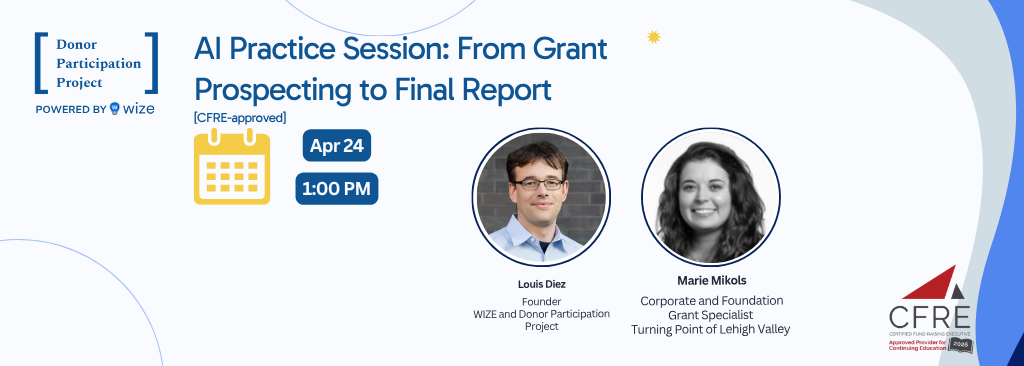
This week's session features Marie Mikols, Corporate and Foundation Grant Specialist at Turning Point of Lehigh Valley.
Marie will walk through how she uses WIZE across the full grant cycle — from researching funders and building a prospect list, to drafting proposals, to managing reporting and stewardship once a grant is awarded.
If grants are any part of your work, this one is worth an hour of your time.
👉 Register here: luma.com/zitc7zla
That's it for this week. If you've already tried any of these features, I'd genuinely like to hear how it's going:
Write me at louis@wizenow.com
Post a comment if you’re reading in the community
Hit reply if you’re getting this in an email
~ Louis