[WIZE] Come build your AI assistant live (Aug 11)
Two things this week: a live session coming up in less than a week, and the most recent batch of updates fresh out of the oven!
Join us Tuesday: Put WIZE to Work
August 11 | Free | Register here
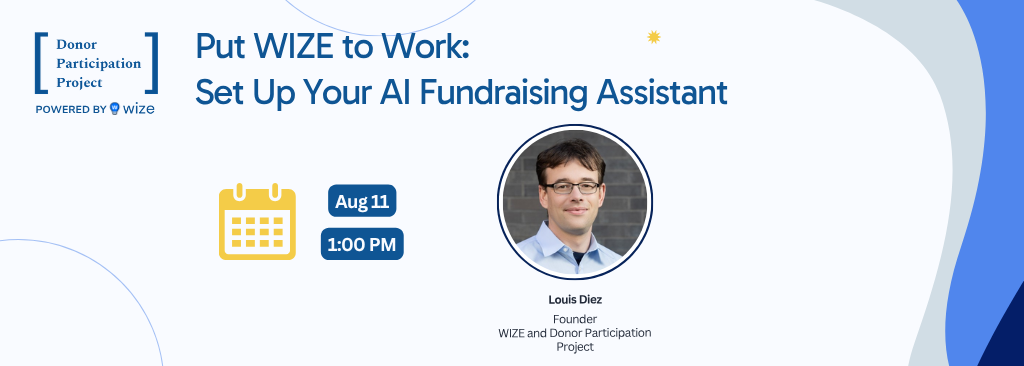
If you've been using WIZE mostly in reactive mode (opening a chat, asking a question, getting an answer), this session is for you.
We're doing a live setup session where we show you how to flip the script: instead of going to WIZE, you set it up so WIZE comes to you. Proactive prospect alerts. Automated meeting prep briefs. A grant scout that runs every week without you touching it.
You'll leave with something built, not just a demo you watched. All attendees get a free trial account, and we'll set things up together on the call.
What shipped this week
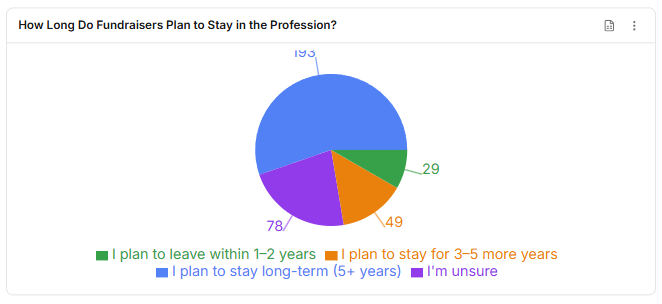
Dashboards are live! You can now ask WIZE to build a dashboard from your CRM data or spreadsheets. Drag-and-resize charts, stat widgets, whatever you need. Ask in chat: "Build me a dashboard showing gifts by month." That's it.
Here’s an example from our recent 2026 Fundraiser Demographics Survey:
Find documents by date. "Which documents were created yesterday?" and "What did we write in May?" now work exactly as you'd expect, in your timezone. This also covers spreadsheets and dashboards, not just documents.
Email drafts revise in place. If WIZE wrote a Gmail or Outlook draft and you want to change something, ask it to update the draft. It edits the same one instead of creating a new copy.
Blackbaud custom fields. If you're on Raiser's Edge, constituent attributes now import into WIZE. You can filter and segment donors by your custom fields directly in chat.
Chat attachments got an overhaul. You can now attach any file type, drag documents straight from the document sidebar into chat, and the attachment preview is cleaner (square tiles, file type icons, sideways scrolling so it doesn't eat your screen). Attached files open inside the app instead of a new browser tab.
Upload spreadsheets from chat. Drop a CSV or Excel file in the chat "+" picker and it goes straight into your Documents as a spreadsheet.
Resources
If you're getting started or want to go deeper, two places worth bookmarking:
Support videos: joindpp.wizenow.com/c/support-product-updates
Help docs: app.wizenow.com/help
See you Tuesday.
~ Louis